Top 5 Presentation Software Tools to Elevate Your Next Pitch
In today’s competitive landscape, delivering an engaging pitch is crucial for success. The right presentation software can significantly elevate your message and keep your audience captivated. Here are the Top 5 Presentation Software Tools that can help you create compelling presentations that leave a lasting impression:
- Canva - Known for its intuitive design capabilities, Canva allows users to create visually stunning presentations with ease. Featuring a wide array of templates and customizable elements, it's a top choice for those who want to focus on aesthetics without sacrificing content.
- Google Slides - Ideal for collaboration, Google Slides offers real-time editing and easy sharing options. This free tool integrates seamlessly with other Google services, making it a convenient option for teams.
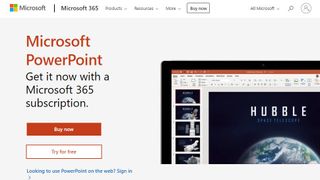
- Microsoft PowerPoint - A classic choice for many, PowerPoint boasts a rich feature set and is widely recognized by audiences. It provides powerful tools for animation, design, and data visualization.
- Prezi - If you're looking to create dynamic, non-linear presentations, Prezi is the tool for you. Its unique zooming interface allows you to present ideas in a more interactive way.
- Visme - This tool combines ease of use with a wealth of design features. Visme allows users to create presentations, infographics, and reports, making it a versatile option for visual communication.
How to Choose the Right Presentation Software for Your Needs
Choosing the right presentation software can significantly impact the effectiveness of your communication. To ensure you select a tool that meets your needs, start by evaluating key features such as collaboration options, templates, and multimedia support. Here are some essential factors to consider:
- Ease of Use: Look for software with an intuitive interface that minimizes the learning curve.
- Collaboration Tools: If you're working in a team, opt for software that offers real-time editing and commenting. Tools like Google Slides allow multiple users to work simultaneously.
- Customization: Check if the software provides customizable templates and themes to match your branding.
After identifying your primary needs, it's essential to research different presentation software options available in the market. Consider reading reviews and comparisons to find the best fit. Reliable sources, such as TechRadar and PCMag, can offer valuable insights and recommendations. Remember, the best software for you will ultimately depend on your specific goals, preferred features, and budget. Don’t hesitate to take advantage of free trials to explore the functionalities firsthand before making a final decision.
Tips and Tricks to Make Your Presentations More Engaging Using Software
Creating engaging presentations is essential for capturing your audience's attention. One of the most effective ways to enhance your presentation is by utilizing presentation software that offers dynamic features. For instance, tools like Canva and Google Slides provide customizable templates that can help your design stand out. Integrating multimedia elements, such as videos, audio clips, and animations, can also significantly increase engagement levels. When using software, it's important to ensure that your content is concise and visually appealing. Utilize bullet points or numbered lists to break down information into digestible segments, keeping your audience focused on key messages.
Another effective strategy is to incorporate interactive elements during your presentations. Many software programs offer features like live polls or quizzes that encourage audience participation. Tools like Mentimeter allow you to gather real-time feedback and foster an engaging atmosphere. Additionally, don’t forget the power of storytelling. Using case studies, personal anecdotes, or relevant quotes can create a connection with your audience, making your presentation memorable. For more tips on structuring your presentation effectively, check out Toastmasters for excellent public speaking resources.