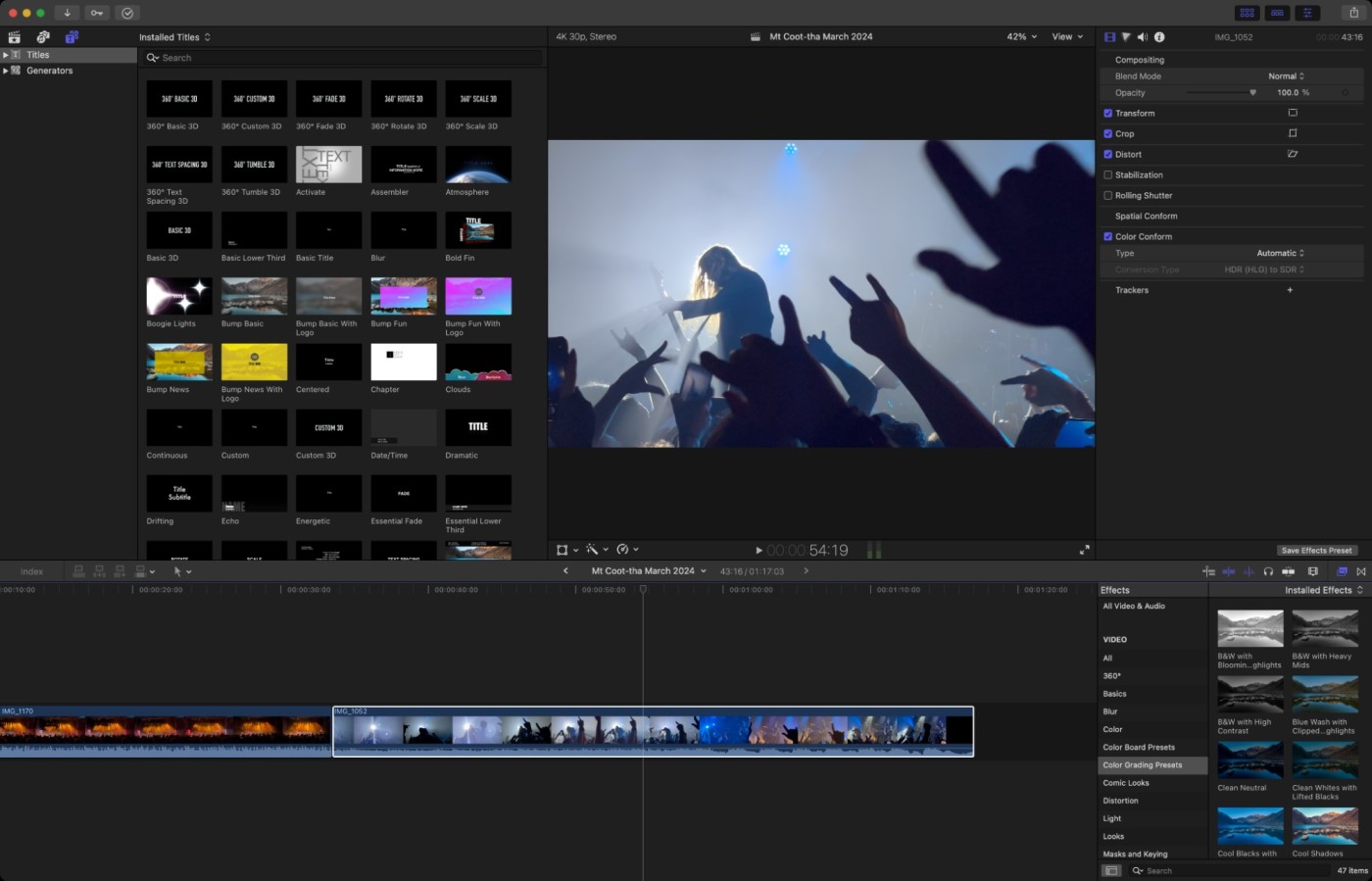
10 Essential Tips to Elevate Your Video Editing Skills
Video editing is a crucial skill in today's digital age, whether you're a content creator, filmmaker, or simply looking to enhance your personal projects. Here are 10 essential tips to elevate your video editing skills and make your work stand out:
- Familiarize Yourself with Software: Get to know your editing software intimately. Spend time learning its features, shortcuts, and capabilities.
- Plan Your Edits: Before diving into the editing process, create a storyboard or outline to visualize your final product.
- Utilize Color Grading: Adjust colors to evoke emotions and set the mood for your video.
- Invest in Good Audio: Great sound quality can make or break your video, so prioritize audio editing.
- Trim the Excess: Keep your content concise by cutting out unnecessary footage for a more engaging final product.
Additionally, mastering some advanced techniques can also boost your skills significantly:
- Study the Masters: Watch and analyze videos from skilled editors to understand their storytelling techniques.
- Use Transitions Wisely: Overusing transitions can distract viewers; select them purposefully to enhance storytelling.
- Experiment with Effects: Don't shy away from trying new effects that can add a unique touch to your videos.
- Seek Feedback: Sharing your work with others can provide invaluable perspectives and suggestions for improvement.
- Stay Updated: Follow industry trends and new tools to keep your skills sharp and relevant.
How to Utilize Color Grading to Transform Your Footage
Color grading is a powerful tool in video production that can dramatically change the mood and aesthetic of your footage. By adjusting the colors and tones, you can create a specific atmosphere that resonates with your audience. First, it's essential to understand the basic principles of color theory. Warm colors, such as reds and oranges, evoke feelings of excitement and passion, while cool colors like blues and greens can impart tranquility and calm. To start utilizing color grading effectively, consider the story you want to tell and how the chosen colors can enhance that narrative.
Utilizing software like Adobe Premiere Pro or DaVinci Resolve, you can refine your footage through a series of adjustments. Begin by applying a primary grade to set the overall tone, followed by a secondary grade to highlight specific elements of your scene. For instance, if you want to bring attention to a character's emotions, you can push the colors in the background cooler while adding warmth to the subject. Remember, subtlety is key; too much contrast can lead to unnatural-looking results. Consistent practice and experimentation will help you refine your color grading skills and transform your videos dramatically.
What Are the Best Techniques for Creating Stunning Video Transitions?
Creating stunning video transitions is essential for maintaining viewer engagement and enhancing the overall aesthetic of your content. One of the best techniques for achieving this is by utilizing motion graphics. By incorporating dynamic elements such as animated shapes or logo reveals, you can create a visually appealing transition that captures the audience's attention. Additionally, consider implementing cross-dissolve effects, as they allow for a smooth blend between scenes, creating a seamless storytelling experience.
Another effective technique is to experiment with speed ramps, which involve adjusting the speed of your clips to create dramatic pauses or fast-paced transitions. This technique not only adds excitement but also emphasizes key moments within your video. Moreover, utilizing sound design in your transitions can significantly enhance their impact. By synchronizing audio cues with visual changes, you create a cohesive experience that captivates your audience and makes your transitions more memorable.